MicroPython Support
For this week I got MicroPython ported to the DUT Hub with the help of Claude. This makes creating and deploying test scripts much faster. It also opens up the possibility to run tests without a computer. The MicroPython test script can be uploaded to the device and run on boot. Some kind of user output is necessary for this so I'll consider adding a display output on the next revision.
Here is a sample of the test framework that runs on the computer:
suite.add_test(LEDCurrentTest(
    min_ma=0.01,
    max_ma=0.03,
    led_pin='P302',
    color=(255, 255, 255)
))

class LEDCurrentTest(TestCase):
    """Test LED current consumption"""

    def __init__(self, min_ma=0.01, max_ma=0.03, led_pin='P302', color=(255, 255, 255)):
        super().__init__(
            name="LED Current Test",
            description=f"Turn on LED and verify current is {min_ma}-{max_ma} mA"
        )
        self.min_ma = min_ma
        self.max_ma = max_ma
        self.led_pin = led_pin
        self.color = color

    def run(self, dut, pico, mcu):
        # Measure baseline
        baseline_ma = pico.measure_current(dut.power_channel)

        # Turn on LED
        led_code = f"""
from machine import WS2812, Pin
led = WS2812(Pin('{self.led_pin}'))
led.set_color{self.color}
"""
        mcu.exec_code(led_code)
The MicroPython is embedded in the LEDCurrentTest class, which turns on an RGB led and measures the current to verify functionality. The following runs on device:
from machine import WS2812, Pin
led = WS2812(Pin('{self.led_pin}'))
led.set_color{self.color}
The Test Fixture
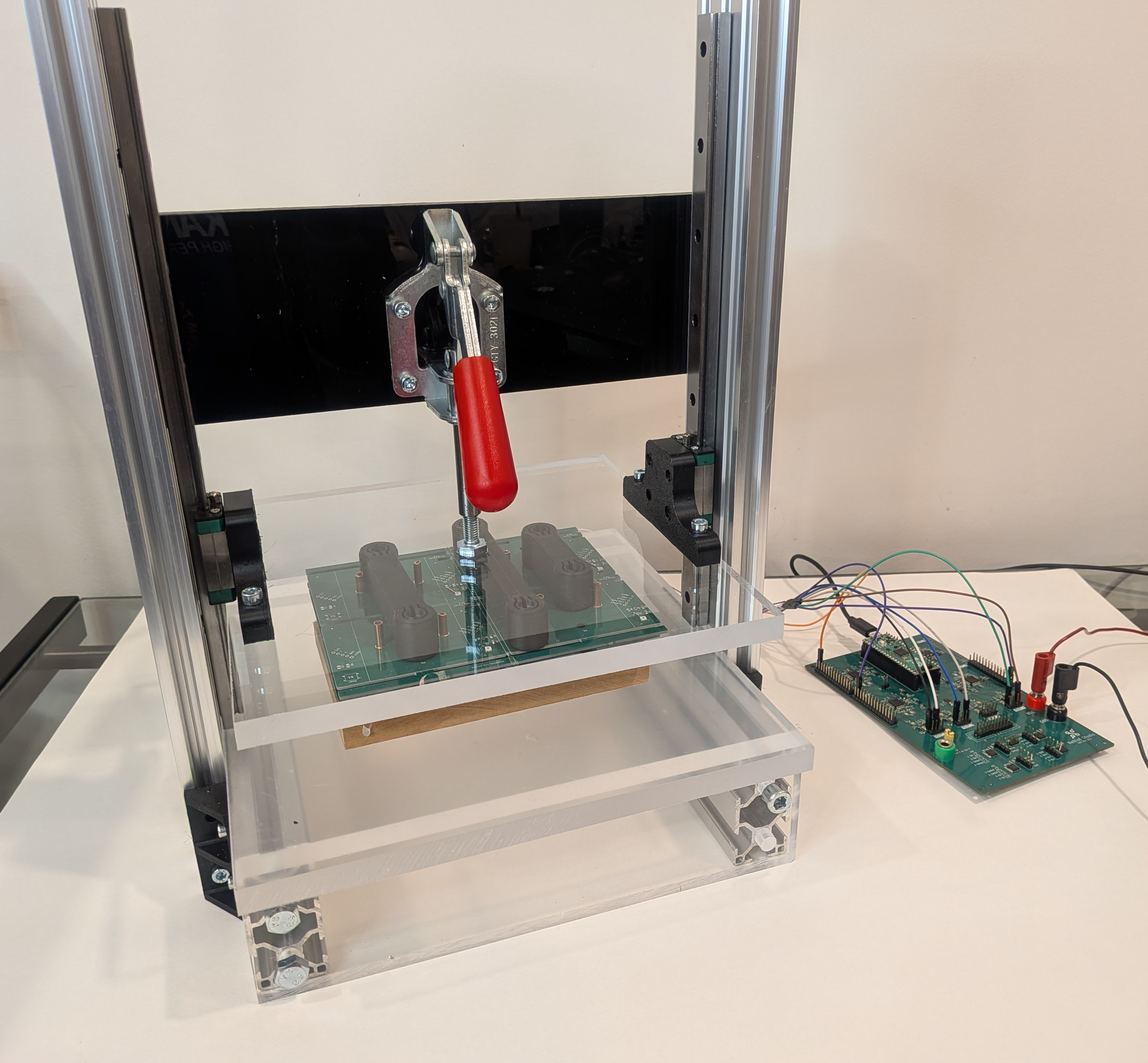
I also designed and built a simple test fixture with some spare parts I have from an ongoing CNC build. The goal was to get an idea what the end-to-end test procedure would feel like. Overall, I'm pretty happy with the outcome and would only change a few things:
- Use ESD safe materials
- Switch to standard 2020 aluminum extrusion since that's easier to find
- Include a place, maybe underneath, to store the DUT Hub and other test electronics
Checkout the video for live demo.